Transpose songs for vocal practice or karaoke
Shift a backing track up or down to match your vocal range before singing along. No DAW, no music theory setup, just move the slider until it feels comfortable.
Change the pitch of any audio file online. Upload MP3, WAV, or FLAC, shift pitch up or down by semitones, preview the result, and download, all processed privately in your browser.
Free online pitch changer for MP3, WAV, FLAC, M4A, AAC, and OGG files. Preview and export runs locally in your browser with no server upload.
Continue the workflow after shifting pitch.
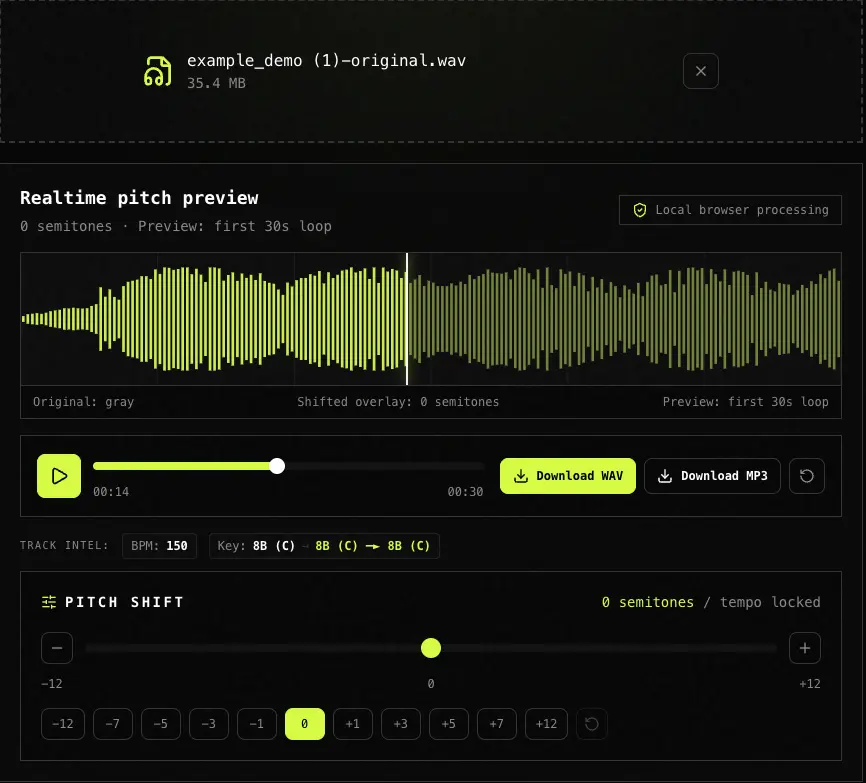
You upload an audio file, drag a slider, and hear the pitch change in real time up to one octave in either direction without affecting the tempo. When it sounds right, download the full track as WAV or MP3. No upload, no signup, no DAW required.
| Good fit | Not ideal for |
|---|---|
| Full songs, vocals, loops, samples, acapellas, karaoke backing tracks, and DJ edits | Very large files over 100 MB on low-memory mobile devices |
| Quick key transposition by semitones for remixing, vocal practice, sample matching, or DJ prep | Live microphone pitch correction, streaming URLs, or batch-processing hundreds of files at once |
Drag and drop or click to browse an MP3, WAV, FLAC, M4A, AAC, or OGG file. The file stays on your device because the pitch changer runs locally in your browser with no server upload.
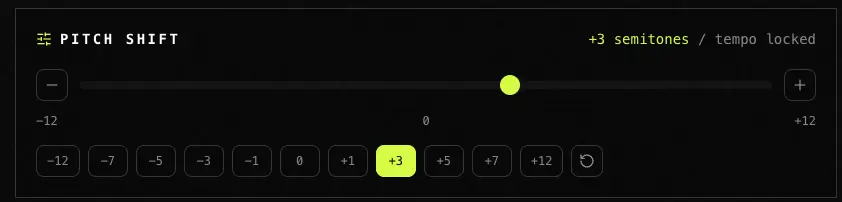
Move the pitch slider or tap a semitone shortcut from -12 to +12. The preview uses the Rubber Band engine where available, so the song key changes while the tempo stays locked.
Render the complete file in the background, watch export progress, then download WAV or MP3. The exported audio is generated locally and never touches our server.

We compared privacy model, price, realtime preview, and quality at moderate semitone shifts. TagMyBeat is our own product, so use this as a decision guide and verify mission-critical results by ear.
| Tool | Best for | Price | Privacy | Realtime preview | Quality |
|---|---|---|---|---|---|
| TagMyBeat | Real-time browser pitch shift for local files with private preview and export | Free | Local only | Yes | High with Rubber Band |
| AudioTrimmer | Simple one-off pitch changes when upload privacy is not a concern | Free | Upload required | No | Medium |
| Audacity | Desktop batch editing, formant control, and deeper audio repair | Free | Desktop app | Offline only | High |
| Waves SoundShifter | Professional pitch work inside a DAW mix session | Paid | Desktop plugin | DAW only | Very high |
Shift a backing track up or down to match your vocal range before singing along. No DAW, no music theory setup, just move the slider until it feels comfortable.
Pitch-shift a sample, melody loop, or acapella so it fits the key of your beat before importing it into FL Studio, Ableton, Logic, or another DAW.
Shift a track by one or two semitones to line up with the next song in your set. Use the BPM and Key Finder first when you need the current key.
Try +2, +4, and +7 semitones, export each version, then A/B test them against your instrumental to pick the strongest arrangement.
Based on user feedback and search queries, last updated May 2026.
Upload your file, drag the pitch slider, and hear the change in real time. When it sounds right, click Download to render and save the full track. Everything runs in your browser with no server upload and no account.
A semitone is one half step in Western music: one piano key or one guitar fret. Shifting +12 raises the pitch by one octave, while -12 lowers it by one octave.
Yes. The preview and export path are designed around Rubber Band pitch shifting, which changes pitch without changing the speed or tempo of the song.
No. Decoding, pitch shifting, waveform rendering, and export happen locally in your browser. Your file does not leave your device, which is useful for unreleased beats, demos, and private samples.
MP3, WAV, FLAC, M4A, AAC, and OGG are accepted when your browser can decode them. MP3 or WAV is the safest fallback if a format does not open on your device.
Not directly. This pitch changer works with local audio files only. Export or download audio you have the right to use, then upload the resulting MP3 or WAV file.
Large shifts can change vocal formants, the resonances that make a voice sound natural. For vocals, shifts within about four or five semitones usually sound more realistic than octave jumps.
This tool focuses on pitch only, so speed stays unchanged. Use Tempo Changer when you only need to slow down or speed up audio without changing pitch. For slowed + reverb vibe edits, use Slowed and Reverb Maker at /tools/slowed-reverb-maker; for pitch and tempo at the same time in a DAW, use your session tools.
Check a beat key, shift a vocal sample here, then generate a producer tag with the matched voice.
Explore more tools for producer tags, remix prep, and audio branding.